The Certificate Compliance Report is now available under Certificate Monitoring > Compliance. It generates a PDF designed to go directly to an auditor or into a compliance package, not something you screenshot and annotate yourself.
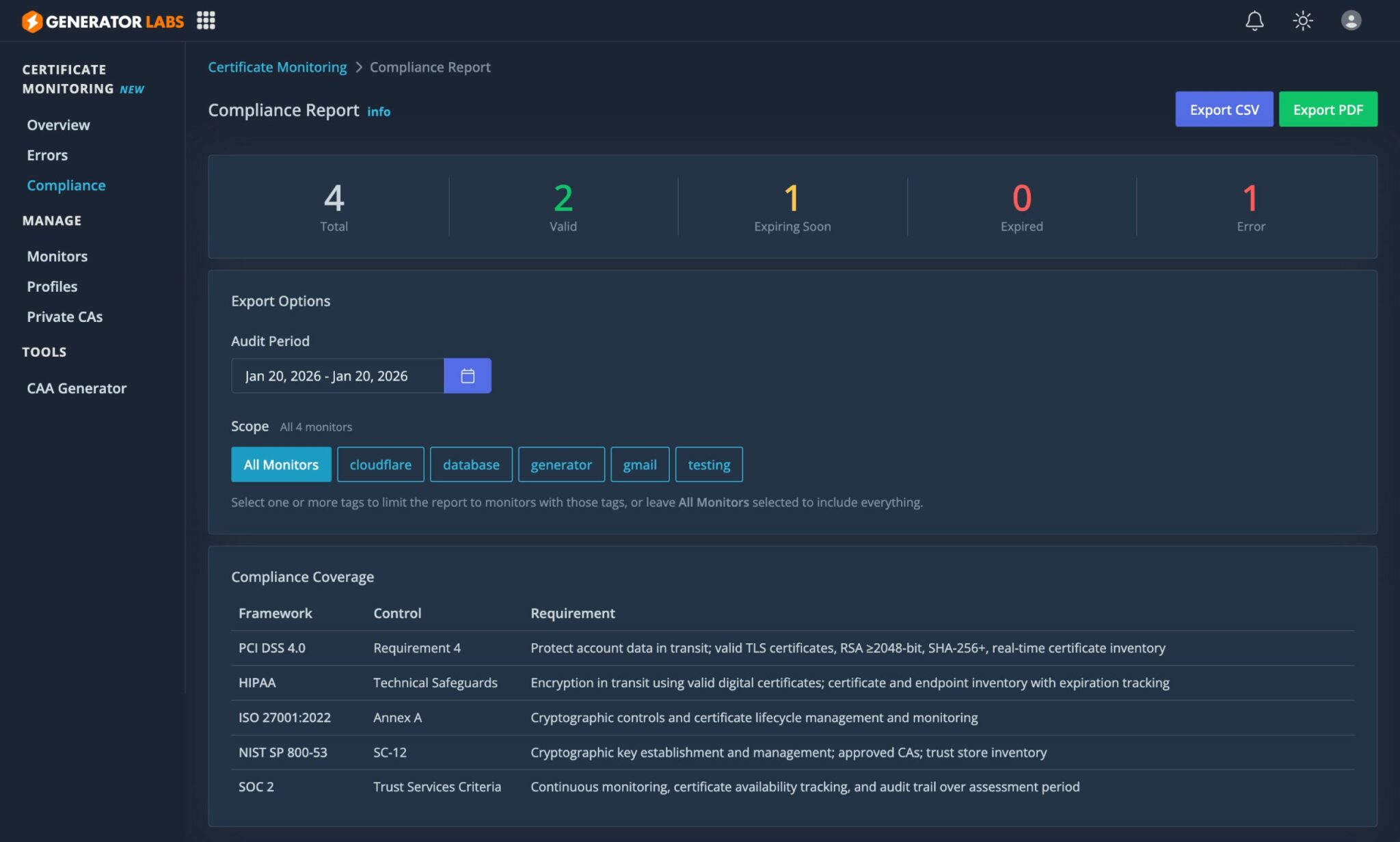
A Report Auditors Can Actually Use
The report is self-contained. It opens with a methodology section that describes exactly what each check does and why: chain verification, OCSP revocation, cryptographic strength at every level, hostname validation, fingerprint tracking. An auditor reading it can evaluate the monitoring approach without having to ask you follow-up questions. A field definitions table does the same for the data: every column in the certificate inventory is defined so the report interprets itself.
The compliance coverage section maps the report to specific controls across five frameworks:
| Framework | Control | Requirement |
|---|---|---|
| PCI DSS 4.0 | Requirement 4 | Valid TLS certificates, RSA >=2048-bit, SHA-256+, real-time certificate inventory |
| HIPAA | Technical Safeguards | Valid digital certificates; certificate and endpoint inventory with expiration tracking |
| ISO 27001:2022 | Annex A | Cryptographic controls and certificate lifecycle management and monitoring |
| NIST SP 800-53 | SC-12 / SC-17 | Cryptographic key establishment; approved CAs; unique certificate identification by serial |
| SOC 2 | Trust Services Criteria | Continuous monitoring, certificate availability tracking, audit trail over assessment period |
What's in the Certificate Inventory
Each host gets full certificate detail: issuer, serial, key type and size, algorithm, SANs, validation type (DV/OV/EV derived from policy OIDs), revocation status, and chain trust result. The inventory is organized by status: errors first with specific diagnostic reasons (DNS failure, hostname mismatch, handshake failure, etc.), then expiring, then valid.
Wildcard certificates are flagged explicitly. PCI DSS 4.0 restricts wildcard use in cardholder data environments, so knowing how many you have and where they are matters.
The executive summary gives auditors a quick read: status counts, expiry outlook bucketed at 30/60/90 days, and audit period activity: total checks run, how many monitors had errors, how many were resolved, and how many are still open.
Evidence That Holds Up
Compliance programs don't just want a point-in-time snapshot. They want proof that monitoring was running continuously and that problems were caught and resolved. Every check result is stored as an immutable timestamped event record. When an auditor asks whether a certificate was valid on a specific date, the answer comes from those records.
If a monitor wasn't active for the full audit window, the report says so: the actual coverage dates and day count appear alongside the selected period. Partial coverage is disclosed, not quietly omitted.
Includes Internal Infrastructure
Hosts monitored via the internal agent appear alongside public-facing hosts. Internal services on private IPs, database connections, LDAP, and certificates issued by a private CA are all included. The report covers your full certificate inventory, not just what is reachable from the internet.
Go to Certificate Monitoring > Compliance, set the audit period, and download. Each report gets a unique reference number that appears on every page, suitable for tracking in your compliance documentation.