
Keep Your Mail
Out of the Spam Folder
A blacklisted IP or domain doesn't bounce loudly; it quietly sends your mail to spam. Watch every sending address against 150+ data sources and know the moment a listing appears.
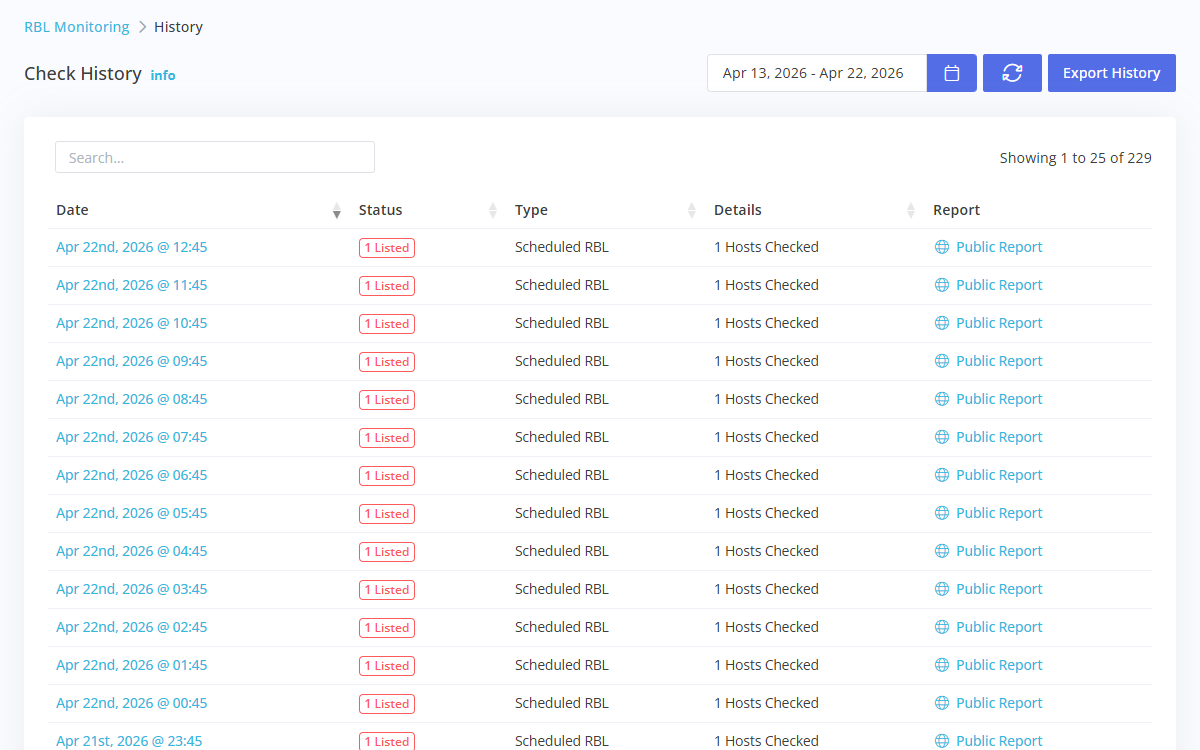
Deliverability Fails
Without a Sound
Receiving servers check your IPs and domains against blocklists on every message. When one of them lists you, mail doesn't bounce with a clear error; it lands in spam, or vanishes, and the first sign is a campaign that underperforms or a customer who never got the password reset.
Listings happen to clean senders too: a compromised account, a shared IP, a spam trap on an old list. What you control is how long it takes to notice.
What Changes
When You Turn It On
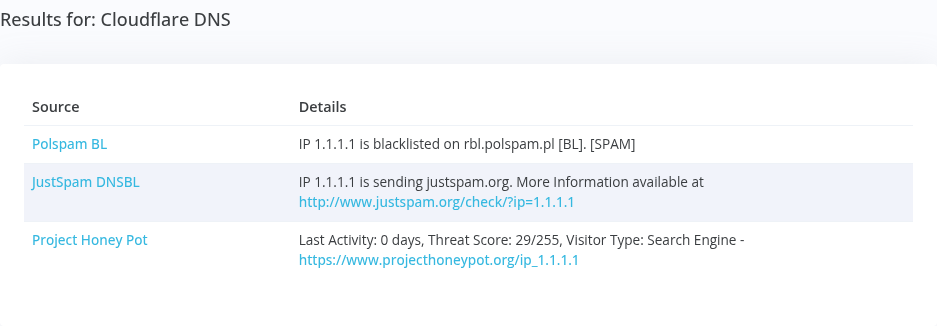
Every sending IP and domain is checked against the RBLs, URIBLs, and reputation feeds receivers actually use, on the schedule you pick.
Email, SMS, Slack, Discord, Telegram, PagerDuty, or a webhook, the moment a listing appears or clears.
Every listing alert links the data source's own removal process, so the fix starts from the alert.
Google Postmaster Tools and Microsoft SNDS data next to your listings, for the reputation that blocklists don't show.
Set Up Once,
Then Let It Watch
Mail server IPs, IP ranges, and the domains you send from, by hand, by CSV, or through the API.
Send listings to the people who can act: the mail team in Slack, the on-call engineer in PagerDuty.
Follow the delisting steps, then share a public report that shows the listing is gone.
Further Reading
 White Paper
The Real Cost of Email Blacklisting
Why clean senders end up on blocklists, what a listing silently costs, and why the detection gap is the only part you can control.
 Case Study
Marketing to a Blacklist
A SaaS marketing team spent half a year and a $350,000 budget emailing people who never got the message. The campaigns were fine; the domain was blacklisted.
 Datasheet
Blacklist Monitoring Datasheet
Continuous IP and domain reputation monitoring across 150+ data sources, with an alert the moment a listing appears. Product facts on four pages.
Frequently Asked Questions
Common questions from teams like yours.
How fast will I know about a listing?
On the next scheduled check. You choose how often each host is checked, and an alert goes out as soon as a check finds a new listing.
Does this replace DMARC reporting?
No, they answer different questions. Blacklist monitoring tells you whether receivers will trust your IPs and domains; DMARC reports tell you who is sending as your domain. DMARC Monitoring is coming soon.
Can I check a single address for free?
Yes. The free blacklist check looks up any IP or domain right away, no account needed.
More Solutions
Protect Your Sender Reputation
Start free and add your first sending IPs in minutes.