
Every IP You Route,
Watched for Listings
One customer's compromised server can get a whole range listed. Monitor every block you announce, find the listing before the support tickets arrive, and show customers proof when it clears.
Their Mail Is
Your Reputation
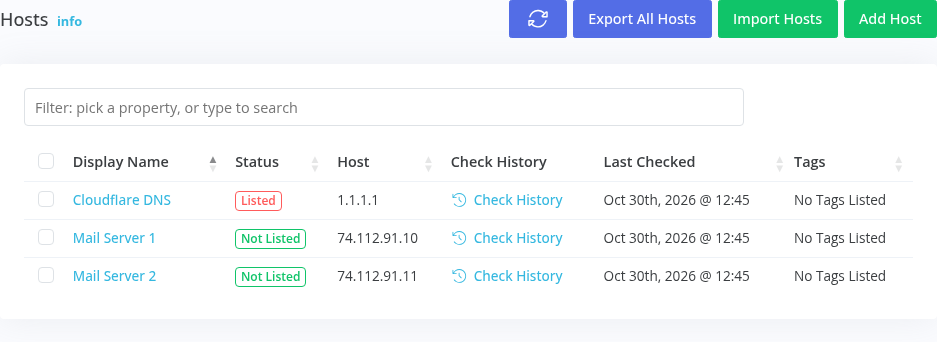
On shared infrastructure, a listing is rarely your doing and always your problem. One customer sending spam can put an IP, or a whole range, on a blocklist, and every other customer on it starts losing mail.
By the time tickets arrive, the damage is hours old. Finding listings across thousands of addresses by hand doesn't scale.
What Changes
When You Turn It On
Add IPv4 and IPv6 addresses, ranges, and CIDR blocks, and every address in them is checked.
Add and remove hosts through the REST API as customers come and go, and send listings to your ticketing system by webhook.
See how Gmail and Outlook rate your IPs and domains next to your blocklist results.
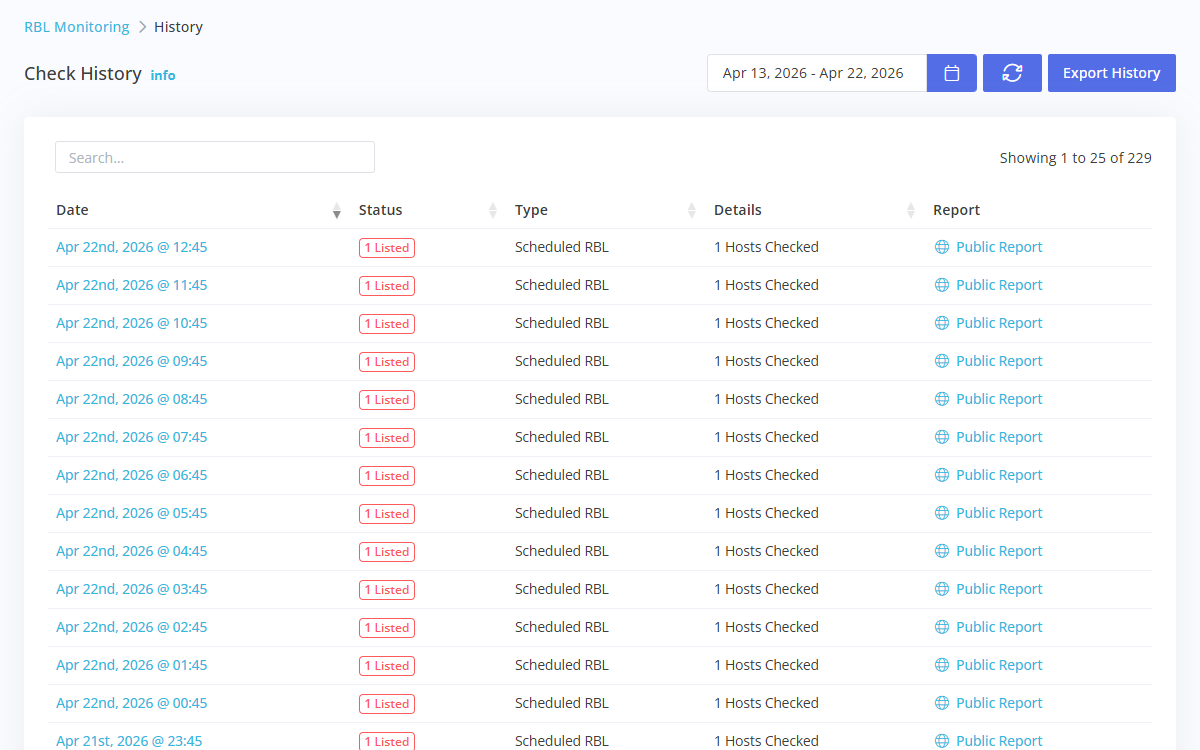
Send a customer a report link that shows the listing and when it cleared, so they can check it themselves.
Set Up Once,
Then Let It Watch
Import your IP blocks by CSV or the API, and keep them in step as allocations change.
Webhooks into your ticketing and abuse workflows, Slack or PagerDuty for the network team.
Delist, confirm on the next check, and send the customer a public report.
Further Reading
 White Paper
The Real Cost of Email Blacklisting
Why clean senders end up on blocklists, what a listing silently costs, and why the detection gap is the only part you can control.
 Datasheet
Blacklist Monitoring Datasheet
Continuous IP and domain reputation monitoring across 150+ data sources, with an alert the moment a listing appears. Product facts on four pages.
Frequently Asked Questions
Common questions from teams like yours.
Can I monitor whole subnets?
Yes. Add an IP range or CIDR block and each address in it is checked against every data source on your schedule.
Can I add custom data sources?
Yes. Add the private or regional blocklists your customers care about alongside the 150+ we check by default.
How is it priced at this scale?
You pay per check, and the rate drops as volume grows. See Blacklist Monitoring pricing or talk to us about large address spaces.
More Solutions
Watch Your Whole Network
Start free, or talk to us about monitoring your full address space.