
IP, Domain, and Email Reputation Check
Mail servers decide whether to trust your mail based on the reputation of the IP it comes from and the domain it claims to be from. The fastest way to wreck that reputation is a blacklist listing, so that's what this check looks at first.
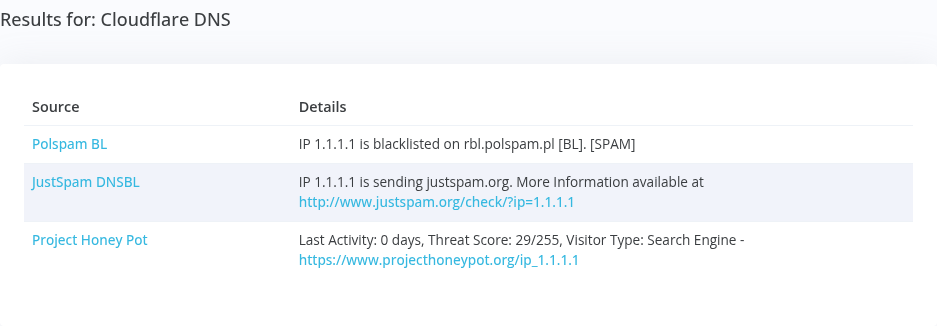
Examples:
What Shapes Your Reputation
90+ blacklists. A listing on a major one stops mail at most providers; a small list may affect only a few.
Google rates your domain on spam complaints and sender requirements. Google Postmaster Tools monitoring
Microsoft rates your sending IPs green, yellow, or red. Microsoft SNDS monitoring
How to Check Your Email Reputation
No single score covers it, because each mailbox provider keeps its own view. Check three places:
- Blacklists. The check above looks your IP address or domain up on the major blacklists receivers query on every connection. A listing on a big one, such as Spamhaus, stops mail at most providers; a small list may affect only a few.
- Gmail. Google Postmaster Tools shows your domain's spam rate and whether it meets Gmail's sender requirements. See how to set up Google Postmaster Tools.
- Outlook. Microsoft SNDS rates each of your sending IPs green, yellow, or red. See how to sign in to Microsoft SNDS.
IP and domain reputation move separately, and fixing one doesn't fix the other. IP reputation vs. domain reputation explains how to tell which one slipped.
Watch All of It in One Place
Generator Labs monitors your IPs and domains against 90+ blacklists, plus Microsoft SNDS and Google Postmaster Tools on paid plans, and alerts you when your reputation slips. Free for your first host.
Frequently Asked Questions
Common questions, answered.
What is email reputation?
It's how mailbox providers rate the mail you send, built from the history of your sending IPs and domains: complaints, spam trap hits, bounces, authentication results, and blacklist listings. A good reputation reaches the inbox; a poor one lands in spam or bounces.
What's the difference between IP and domain reputation?
IP reputation follows the server sending your mail; domain reputation follows your brand wherever you send from. Mailbox providers weigh both.
Why would my IP have a bad reputation?
Usually spam sent from it, by you, a hacked account, or a previous owner of the IP.
How do I fix a bad reputation?
Stop the cause, get delisted from any blacklists, and keep sending clean mail. Reputation recovers over days to weeks.
Listed Somewhere?
How to get off each of the blacklists that matter most.